Choosing between one-pocket vs. two-pocket folders sounds like a small decision, but it shapes how your business presents documents, proposals, and client materials. A folder is often the first thing a client touches before reading a single page inside. Getting the pocket count right means getting the first impression right.
So what is the difference between one pocket and two pocket folder options, and which one works better for your situation? Here is a straightforward breakdown to help you decide.
What Is the One-Pocket vs. Two-Pocket Folder Difference
A one-pocket presentation folder has a single pocket on one side of the interior. Documents slide into that pocket, and the opposite side stays flat. A two-pocket folder has pockets on both the left and right interior panels, giving you two separate compartments for organizing materials.
The one-pocket vs. two-pocket folder difference comes down to how much material you need to organize and whether you want to separate content into categories. One pocket works well for lighter handoffs. Two pockets let you group documents on one side and marketing materials, brochures, or contracts on the other.
For most business settings, two-pocket presentation folders tend to be the more versatile option. A two-pocket layout lets you create a clear left-and-right flow that guides the reader through your materials in order.
When Does a One-Pocket Presentation Folder Make More Sense
One-pocket folders are not the wrong choice across the board. In fact, they work well when your document package is simple and slim.
A one-pocket folder may be a good fit for a single-page flyer or brochure at a trade show, a lightweight welcome sheet for walk-in visitors, or a simple handout at a community event. When the goal is to keep a single piece of paper looking polished without adding bulk, a one-pocket folder keeps things clean.
However, most business interactions call for more than one document. Client meetings, onboarding sessions, and closing appointments usually involve multiple pages. When the content grows, a single pocket can feel crowded and hard to manage.
Why Do Most Businesses Choose Two-Pocket Presentation Folders
Two-pocket folders give businesses the room and structure to present materials with intention. A left-pocket and right-pocket layout creates a natural reading path. Place your branded welcome letter or company overview on the right, and tuck supplementary documents like pricing sheets, contracts, or reference guides into the left.
A two-pocket design also makes it easy to include a business card slot. When your business card sits right inside the pocket, the recipient has your contact information paired with the documents they need.
Office managers, HR teams, and marketing departments lean toward two-pocket folders because they support a wide range of uses. Welcome packets for new hires, proposal packages for clients, closing documents for real estate transactions, and tax return folders for accounting firms each benefit from two organized compartments. Once you explore why your business needs custom presentation folders, the two-pocket format tends to be the natural starting point.
Which Folder Works Best for Client-Facing Documents
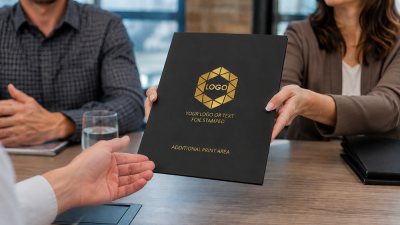
When you are handing materials directly to a client, the folder represents your brand before anyone reads the paperwork inside. A polished, well-organized folder signals professionalism and attention to detail.
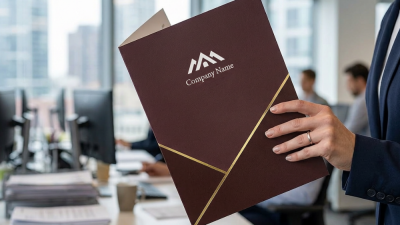
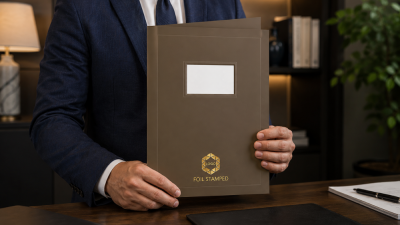
Two-pocket folders give you more room to create that impression. Separate your main documents from supplementary materials so the client knows where to look first. Add a branded cover with your company logo and foil stamping, and the folder becomes a brand touchpoint that stays on a desk or in a file long after the meeting ends. Custom presentation folders can leave a lasting impression when they combine professional design with practical organization.
For industries like finance, insurance, legal, healthcare, and real estate, a two-pocket layout is practically standard. Clients expect polished packaging when they receive contracts, closing documents, or important records.
How Can You Customize a Presentation Folder for Your Brand
Whichever pocket style you choose, customization turns a generic folder into a branded business tool. Add your company logo, name, and contact details to the front cover. Select from foil stamping options or ink printing to match your brand colors.
Premium paper stock adds a tactile quality that clients notice. Sculpted embossing and foil accents signal that your company pays attention to the details. Exploring the different ways to customize presentation folders helps you figure out which combination matches your brand identity.
For businesses that need client-specific personalization, label folders with an embossed border and a space for desktop-printed labels so you can customize each folder by name or account. At The Gallery Collection, presentation folders come in both standard capacity (up to 50 sheets) and large capacity (up to 125 sheets), so you can match the folder to the volume of documents you need to present.
What Should You Consider Before Ordering Presentation Folders
Before placing an order, take stock of how your business uses folders day to day. A few key questions can help you land on the right fit.
How many documents do you typically hand over in a client meeting? If the answer is more than two or three pages, a two-pocket folder will keep things organized. When considering whether to purchase presentation folders, start by thinking about the situations where you hand off documents most often.
Do you need your folder to help your company stand out at first glance? Custom branding with your logo, foil colors, and premium finishes can make a strong visual impact. An easy-to-use presentation folder also means less friction for your team when assembling document packages.
Reviewing a list of things to consider when picking personalized folders can save time and help you narrow down the right style, capacity, and finish before you order.
Browse the full lineup of business presentation folders to compare styles, finishes, and customization options.
Frequently Asked Questions
A one-pocket folder has a single interior compartment on one side. A two-pocket folder has compartments on both the left and right, making it easier to separate and organize different types of documents.
For most business situations, yes. Two pockets let you organize contracts, brochures, and reference materials separately, which creates a cleaner and more professional presentation for clients and employees.
Yes. Custom presentation folders can be branded with your company logo, name, and contact details using foil stamping or ink printing in multiple imprint areas.
Legal firms, accounting and tax practices, insurance agencies, real estate offices, healthcare providers, and financial services companies are among the most frequent users of branded presentation folders.
Standard presentation folders measure 9 x 12 inches and are designed to hold letter-size documents. Capacity options include standard (up to 50 sheets) and large (up to 125 sheets).