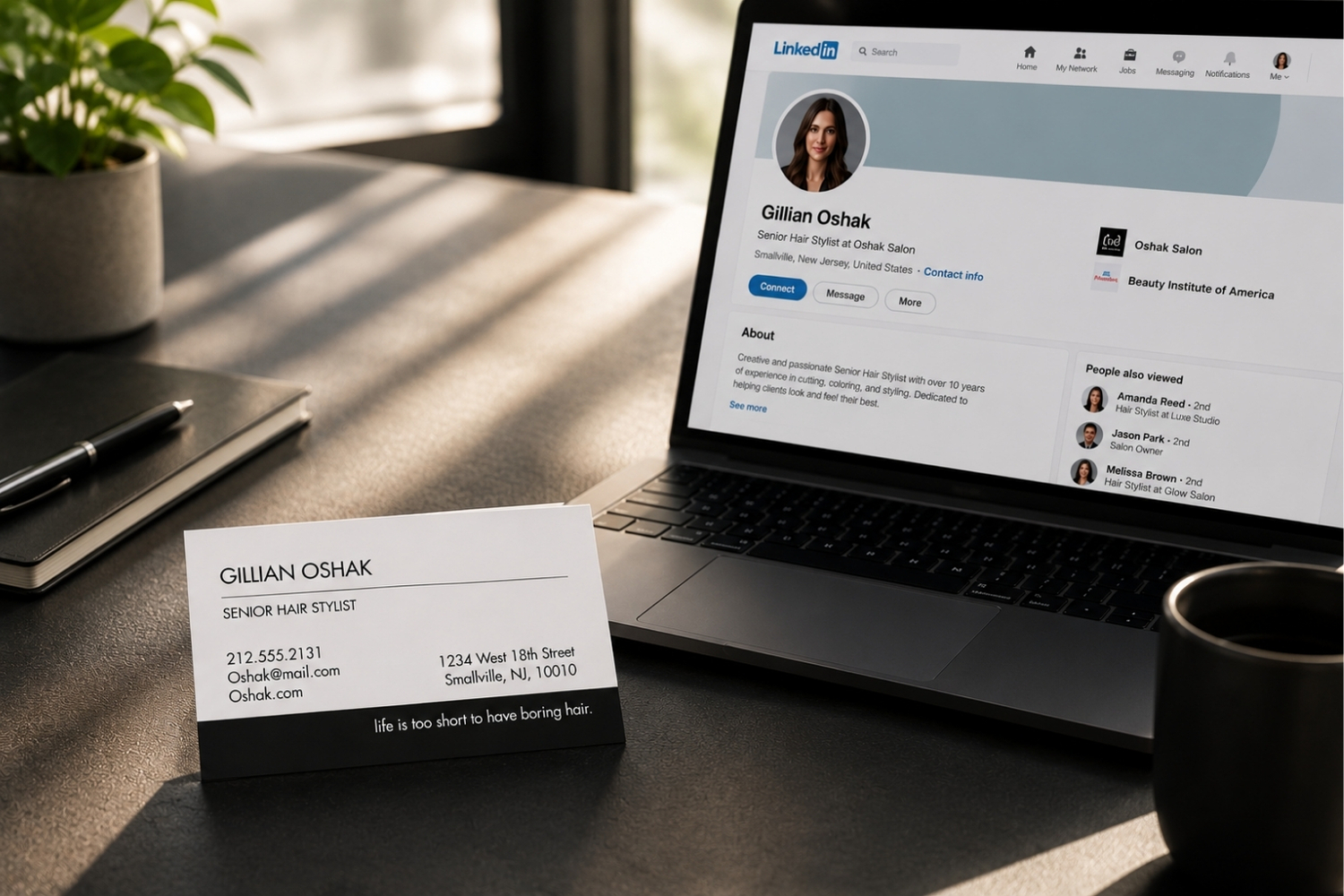
A LinkedIn profile and a business card do some of the same work, but they are not interchangeable. One lives online. One lives in your pocket. And the information you put on each should reflect how people actually use them.
A LinkedIn profile gives you room to tell a full professional story. A business card gives you a few seconds to make a clear, polished first impression. Knowing what goes where helps you use both tools well, whether you are networking at a conference or following up with a new client.
Here is a simple breakdown of what belongs on each, where they overlap, and how to make them work together.
Why Do LinkedIn Profiles and Business Cards Serve Different Purposes
A LinkedIn profile is a living document. You can update it anytime, add new roles, share posts, collect recommendations, and link to work samples. People visit your profile to get a full picture of who you are professionally.
A business card, on the other hand, is built for the moment. Someone hands you a card at a meeting, a trade show, or a client lunch. In a few seconds, you glance at it and decide whether to keep it or let it slip into a drawer. That means the information on a business card needs to be focused and clean.
Both tools represent your brand. A strong LinkedIn profile builds credibility over time. A strong business card creates a memorable first impression in person.
What Should You Include on a LinkedIn Profile
LinkedIn gives you space, and using that space well can set you apart. Here are the key sections to focus on.
Professional headline
Your headline appears right below your name. Use it to describe what you do and who you help, not just your job title. A marketing director might write “Marketing Director | Helping B2B Brands Build Lasting Client Relationships” instead of just the title alone.
Summary section
Write a short summary that highlights your experience, your strengths, and what makes your approach different. Keep the tone conversational and write in first person.
Work experience
List relevant roles with brief descriptions of your responsibilities and accomplishments. Focus on outcomes, not just duties.
Skills, endorsements, and recommendations
Add skills that match your expertise. Endorsements and recommendations from colleagues or clients add social proof that a business card simply cannot provide.
Contact information and links
LinkedIn lets you add your email, phone, website, and other links. Make sure the contact details match what appears on your business card so people can reach you through either channel.
What Information Belongs on a Business Card
A business card has limited space. The best cards include only what someone needs to remember you and get in touch. Here is what to prioritize.
Must-have details
Your name, job title, company name, and logo should be front and center. Add your phone number, email address, and website. If your business has a physical location that matters to clients, include the city and state.
Optional but useful additions
A LinkedIn URL or QR code can bridge the gap between your card and your online profile. Some professionals also add a tagline or a short line about what they do, especially if the company name does not make that obvious. For a deeper look at what to include and what to skip, the business card dos and don’ts guide is a helpful starting point.
What to leave off
Avoid cramming too many social media handles, multiple phone numbers, or long lists of services onto one card. A cluttered card gets ignored. Stick to the details that help someone take the next step.
Where Do LinkedIn Profiles and Business Cards Overlap
Some information belongs on both. Your name, title, company, and primary contact details should be consistent across your LinkedIn profile and your business card. When these details match, people can move from one to the other without confusion.
Your brand identity should also carry across both. If your company invests in a polished look on LinkedIn, your business card should reflect that same level of care. A premium, well-designed card reinforces the professional image that your online presence builds.
For businesses thinking about how design, paper quality, and layout choices shape perception, choosing the right business card can make a real difference.
Can a Business Card and LinkedIn Profile Work Together
Absolutely. The smartest approach treats them as two parts of the same professional toolkit.
Add your custom LinkedIn URL to your business card. When someone receives your card, they can look you up online and see the full story behind the name and title printed on the front. A QR code on the back of the card makes that even easier.
At the same time, keep a note on your LinkedIn profile about how people can request your card or connect in person. Some professionals mention networking events or conferences in their activity feed, which naturally ties back to in-person introductions where cards get exchanged.
If you are creating a business card from scratch, plan for your LinkedIn URL from the start. That way, the layout accommodates it without feeling crowded.
How Do You Pick the Right Business Card for Your Brand
A business card is a physical representation of your company. Paper quality, design, and finish all send a message before anyone reads a word.
The Gallery Collection offers premium business cards in both standard and credit card sizes, with hundreds of design combinations. You can customize colors, fonts, and text on both the front and back. Adding a company logo or personal image is straightforward, and for teams that already have a finished design, there is an option to upload your completed design directly.
A well-made business card complements your LinkedIn profile rather than competing with it. Your profile handles the depth. Your card handles the moment. Together, they give clients, prospects, and colleagues a consistent view of who you are and what your business stands for.
Frequently Asked Questions
The core details should match, including your name, title, company, and primary contact method. Consistency builds trust and makes it easy for people to connect with you through either channel.
Adding a custom LinkedIn URL or QR code is a smart move. It gives the person holding your card a direct path to your full professional profile and work history.
A LinkedIn profile offers depth, including your full work history, recommendations, and shared content. A business card offers speed and polish in a face-to-face setting. Each serves a different stage of the relationship.
Stick to five or six key details: name, title, company, phone, email, and website. Adding a LinkedIn URL or QR code is fine, but avoid long lists of services or multiple social handles.
Yes. A premium, well-designed card creates a tangible impression that a screen cannot replicate. In face-to-face settings, handing someone a polished card still carries weight, especially when it reflects the quality of your business.