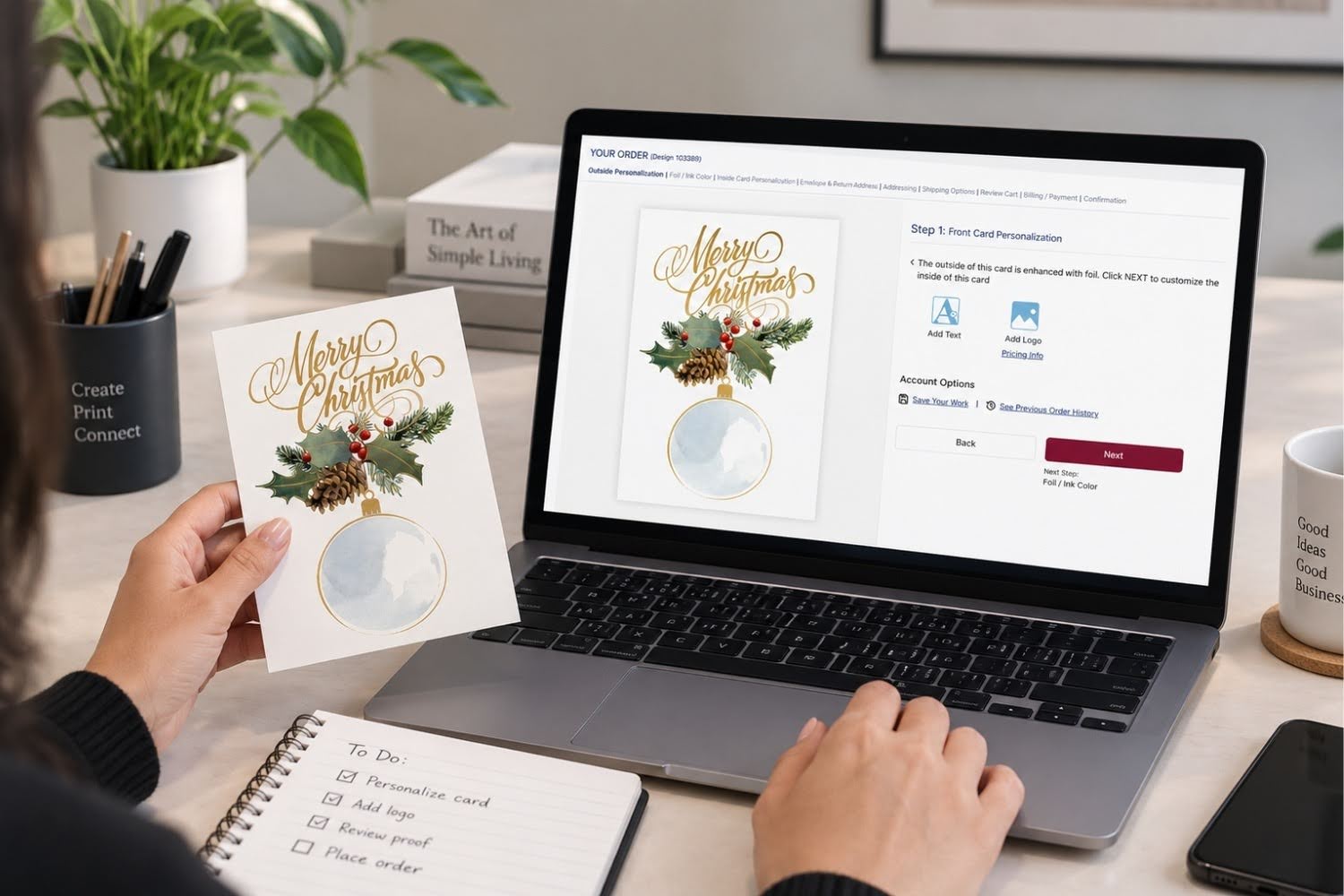
Your company logo represents your brand. When that logo shows up on a premium greeting card, it turns a seasonal gesture into a branded touchpoint that clients and employees hold onto for weeks. But if you have never ordered business greeting cards with logo imprinting before, the process can feel unclear.
What file format do I need to add my logo to greeting cards? What kind of artwork prints best? Here is a straightforward walk-through of what you need, how logo imprinting on greeting cards works, and how to get a polished result on your first order.
Why Should You Put Your Logo on Business Greeting Cards
Adding your company logo to a greeting card turns a thoughtful gesture into a branded communication. Your card reminds the recipient who sent it and what your company stands for.
For office managers and marketing teams, business greeting cards with logo imprinting serve two purposes at once. First, they build goodwill through personal connection. Second, they reinforce brand recognition at a moment when the recipient feels positive about your company.
As the team at The Gallery Collection has noted, a company logo on corporate greeting cards is a smart idea because recipients remember images more than words. A well-placed logo is like a small, tasteful ad on a card your client is happy to receive.
What File Format Do You Need for Logo Imprinting on Greeting Cards
If you are wondering what file format you need to add your logo to greeting cards, the answer depends on how your logo was created. Vector-based file formats tend to produce the sharpest results for print.
Common file formats that work well for printed cards
- EPS (Encapsulated PostScript) works well for logos because the file can be scaled up or down without losing sharpness.
- PDF (Portable Document Format) is widely accepted for print and keeps the quality of the original artwork.
- AI (Adobe Illustrator) files are native vector files and give print teams full flexibility.
Formats that may need extra attention
- PNG files can work if the resolution is high (300 DPI or above), but they do not scale as cleanly as vector formats.
- JPG/JPEG files are common but may lose quality when resized or printed at large scales.
When ordering from The Gallery Collection, click the Artwork Instructions and Customization Options link during checkout for full guidance on submitting your logo for reproduction.
How Does Logo Imprinting on Greeting Cards Work
Wondering how logo imprinting on greeting cards works? At The Gallery Collection, the process uses traditional craftsmanship paired with personalization tools.
Master printers hand-set the type for personal messages in ink or foil. The imprints are then pressed into the card using a small letterpress. The result is a clean, professional look that feels intentional rather than stamped on.
Here is a simplified step-by-step view:
- Step 1. Choose your card design from the collection.
- Step 2. Select your greeting sentiment for the inside.
- Step 3. Upload your logo file and choose your imprint color.
- Step 4. Add your company name, personal message, or team signatures.
- Step 5. Review and approve the personalization before the order ships.
The card price at The Gallery Collection includes a greeting and two lines of personalized imprint in red, black, green, or blue ink. For an upgraded finish, you can also choose foil imprinting in gold, silver, red, green, or blue.
What Makes a Logo Print Well on a Greeting Card
Not all logos translate equally to print. A few guidelines can help you get a clean result.
Keep it simple
Logos with clean lines and minimal detail hold up better when scaled down for a card. Highly detailed or multi-layered logos can lose clarity at smaller sizes.
Stick to one color when possible
One-color logos are the easiest to reproduce for imprinting. The Gallery Collection site specifically notes that one-color logos can be used for imprinting without any changes.
Use high resolution
If your file is a raster format like PNG or JPG, aim for at least 300 DPI. Lower-resolution files may appear fuzzy or pixelated on the finished card.
Match the color to the card
Ink imprinting in red, green, black, or blue stands out on white or buff card stock. For cards with foil accents on the front, matching your logo to gold or silver foil creates a cohesive, polished look.
For more tips on adding your brand to greeting cards without over-promoting, the brand’s blog covers tasteful branding guidelines worth reading before your first order.
Can You Add Your Logo to Company Christmas Cards and Holiday Cards
Absolutely. Company Christmas cards with logo imprinting are one of the most popular orders at The Gallery Collection. Holiday cards go out in bulk to clients, vendors, and employees, making them one of the highest-visibility branded communications your company sends each year.
Business Christmas cards with logo details give recipients a card that feels personal and professional at the same time. A foil-stamped logo in gold on a holiday card design, for example, adds an extra layer of polish.
The same customization options that apply to holiday cards apply to Christmas cards and other seasonal collections. You can add your company name, choose a sentiment, upload your logo, and include return address imprinting on envelopes.
And the branding opportunity does not stop at the holidays. Year-round birthday cards, thank-you cards, and anniversary cards can carry your logo for consistent brand presence throughout the calendar.
What Else Can You Personalize Beyond Your Logo
Logo imprinting is just one piece of the personalization puzzle. At The Gallery Collection, you can also customize these elements on most cards:
- Inside sentiment. Choose from pre-written greetings or write your own custom message.
- Company name. Add your business name below the sentiment.
- Team signatures. Include individual or group signatures beneath the greeting.
- Envelope return address. Imprint your return address in ink or foil for a polished first impression.
For businesses that send cards across multiple occasions, combining your logo with a consistent message and return address creates a branded experience from envelope to card.
Frequently Asked Questions
Not necessarily. If you have a clean logo file in a vector format like EPS, PDF, or AI, you can upload it directly when placing your order. For raster files like PNG or JPG, make sure the resolution is at least 300 DPI.
One-color logos are the easiest to reproduce and tend to look the sharpest on printed cards. Multi-color logos may need adjustments to work with ink or foil imprinting.
Logos are typically imprinted on the inside alongside your greeting and company name. Placement details are covered during the ordering process.
Ordering early helps ensure your cards arrive before your mailing deadline. Holiday card orders peak between September and November, so placing your order in late summer gives your team plenty of time.
Logo imprinting is available for a minimal additional fee. The card price at The Gallery Collection already includes a greeting and two lines of personalized imprint in ink.